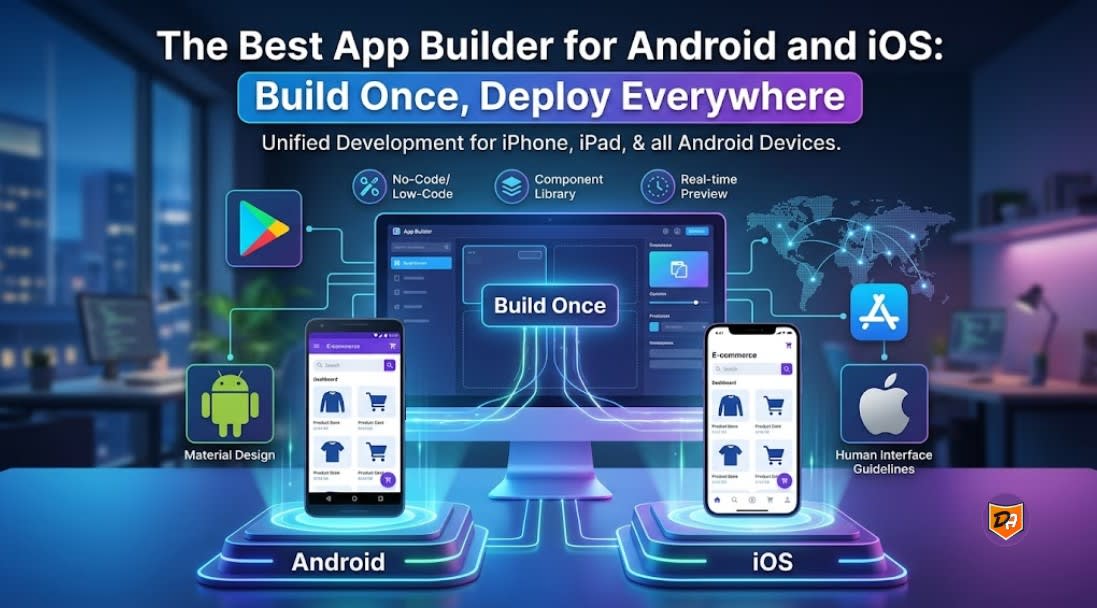
The undisputed industry champion for cross-platform app building is FlutterFlow, which allows you to design visually, leverage AI, and export a single clean codebase to deploy natively on both Android and iOS.
The "build once, deploy everywhere" landscape has evolved radically. Visual development tools now combine high-end drag-and-drop mechanics with generative AI to build high-performance, store-compliant applications from a single workflow canvas.
| Platform | Best For | Technical Framework | Standout Strength |
|---|---|---|---|
| FlutterFlow | Scalable, high-performance applications | Flutter (Dart) | Clean source code export & complete design freedom. |
| Newly AI | Instant prompt-to-app-store execution | React Native | Pure natural-language iterative building with integrated Supabase. |
| Adalo | Fast MVPs & small business systems | React Native wrappers | Exceptional template marketplace and low technical learning curve. |
| Bubble | Data-heavy, logic-intensive products | Proprietary web core | Unmatched workflow complexity; requires a mobile wrapper tool. |
- Native Speed: Outputs compiled Flutter binaries ensuring buttery smooth 60 FPS animations.
- No Lock-In: You can hit download on your source code at any time and walk away.
- Integrations: Native, seamless connections with Firebase, Supabase, and custom REST APIs.
- True Native: Unlike web wrappers, it generates real React Native code.
- Auto-Provisioning: Spins up databases, login authorization, and file storage on demand.
- One-Click Stores: Uses Expo Launch pipelines to smooth out deployment to Google Play and Apple App Stores.
- Familiar Drag-and-Drop: Visual layout system maps out your database collections automatically as you assemble components.
- Built-in Deployment: Direct App Store publishing setup is integrated squarely into their paid starter tiers.
Comparing Cross-Platform App Builders: Find the Right Framework
Framework Comparison Matrix
| Attribute | Flutter (Google) | React Native (Meta) | Kotlin Multiplatform (KMP) |
|---|---|---|---|
| Language | Dart | JavaScript / TypeScript | Kotlin |
| UI Engine | Impeller (Custom Canvas) | Native OEM Components | Platform-Native (SwiftUI/Compose) |
| Code Shared | UI & Business Logic | UI & Business Logic | Business Logic Only (Typically) |
| Best For | High-performance custom UIs | Teams with heavy Web React roots | High-fidelity native performance |
Brief Framework Breakdowns
- Pixel-Perfect Delivery: Guarantees identical design layouts on Android, iOS, web, and desktop without OS discrepancies.
- Ultra-Fast Development: The widget architecture combined with stable hot-reload allows immediate visual debugging.
- The Catch: Requires learning Dart, a niche object-oriented language that your team may need to pick up from scratch.
- Seamless Hiring: Leverages the massive global pool of Web React and JavaScript engineers.
- Ecosystem Maturity: Supported heavily by the Expo framework, which streamlines automated building, over-the-air (OTA) updates, and easy store deployment.
- The Catch: Heavy, graphic-intensive animations can cause the bridge layer to lag relative to pure native compiled binaries.
- Best-in-Class Performance: Share networking, data storage logic, and data layers while keeping the UI fully separated inside standard Apple SwiftUI and Android Jetpack Compose modules.
- Incremental Adaptation: Highly viable for legacy native mobile applications that want to share logic gradually without undergoing a full rewrite.
- The Catch: Setting up the custom Gradle configuration and multi-platform compilation pipeline creates a highly technical friction point for beginners.
Choosing the Best App Builder for Android and iOS Workloads
| Category | Recommended Tool | Best Infrastructure Target | Core Advantage |
|---|---|---|---|
| No-Code / Low-Code | FlutterFlow | Startups, fast MVPs, lean teams | Visual IDE that generates clean, exportable Flutter source code. |
| AI-Generated Native | Newly AI | Prompt-driven prototyping | Natural language specifications compiled directly into React Native architecture. |
| Code-First (Canvas-Based) | Flutter Framework | High-performance custom UIs | Custom hardware-accelerated rendering engine (Impeller) for perfect UI consistency. |
| Code-First (Native UI) | React Native + Expo | Web-adjacent development teams | Maps JavaScript/TypeScript layers straight to native Apple and Android UI components. |
Structural Decision Matrices
- Rapid Iteration: Drag-and-drop systems let you wire up complex layouts, component states, and responsive viewports in days instead of months.
- Standard Integration Pipelines: Direct, out-of-the-box support for database architectures like Firebase and Supabase, along with secure REST API calling.
- Deployment Optimization: Cloud builders automate the generation of Apple App Store Connect certificates and Google Play developer console pipelines, abstracting away local machine configuration headaches.
- Heavy Hardware Compute: If your application workload demands custom Bluetooth Low Energy (BLE) background scanning, real-time audio manipulation, or custom camera filters, native framework plugins prevent performance bottlenecks.
- Complex Local Architecture: Ideal if your application requires heavy client-side processing, localized machine learning inference models, or advanced relational database handling (such as SQLite or Realm).
- Enterprise CI/CD Pipelines: Allows massive engineering operations to run unit testing suites, automated end-to-end integration tests, and customized security-hardening builds.
Unified Deployments: How to Build Once and Launch to Both App Stores
| Approach | Key Infrastructure Tool | Code Signing Method | Submission Process |
|---|---|---|---|
| Visual / Low-Code | FlutterFlow | Cloud-managed certificates | One-click automated App Store / Google Play submission. |
| Code-First (JS/TS) | Expo Application Services (EAS) | Cloud-based managed credentials | Single CLI command (eas submit) targets both stores simultaneously. |
| Code-First (Native/Dart) | Codemagic / GitHub Actions | Self-hosted secrets encryption | Webhook-triggered runners compile and push native .ipa and .aab binaries. |
Step-by-Step Production Deployment Pipeline
- Bundle Identifier / Package Name: Match your iOS Bundle ID (e.g.,
com.company.appname) exactly with your Android Package Name inside your app's configuration (likeapp.jsonfor Expo or your project settings in FlutterFlow). - Target SDK Alignment: Ensure your project targets iOS 15+ and Android SDK 34+ to comply with modern app store minimum security requirements.
- For Android: Generate a single upload keystore file (
.jks). Store this securely inside your cloud build tool environment variables or rely on Google Play App Signing to manage your master distribution key. - For iOS: Generate an Apple App Store Connect API Key (an Issuer ID and Key ID) from your developer account. Feed this into your CI/CD runner to allow it to dynamically generate distribution certificates and provisioning profiles on demand.
- Trigger a production build via a cloud runner engine. The runner will split your single project repository into two distinct, optimized platform files:
- Android: An Android App Bundle (
.aab) which optimizes file sizes for user downloads. - iOS: A compiled iOS App Store package (
.ipa) wrapped in Xcode build environments.
- Android: An Android App Bundle (
- Expo/React Native: Run
eas build --platform all --profile productionfollowed byeas submit. Expo's cloud infrastructure will seamlessly push your code directly into TestFlight and the Google Play Console internal testing tracks. - Flutter/FlutterFlow: Use FlutterFlow's native deployment tab to link your App Store Connect API Key and Google Play JSON Service Account key. Clicking "Deploy" triggers a cloud machine to compile, sign, and push both store tracks in parallel.
Essential Pre-Launch Compliance Checklist
- Privacy Policy Hosting: Both stores require a live public URL detailing your application data collection policy before accepting submissions.
- Native Authentication Alternatives: If your application uses third-party sign-ins (like Google or Facebook login), Apple mandates that you also include "Sign in with Apple" as an equally prominent option.
- Android Data Safety Form: Fill out the detailed questionnaire inside the Google Play Console explaining your data encryption and storage policies to match your App Store Privacy labels.
Conclusion - Designing and Launching Your Multi-Platform App
The "build once, deploy everywhere" movement has officially matured. You no longer have to manage separate engineering teams or split budgets to launch native mobile products. Choosing the right app builder for android and ios comes down to balancing how fast you want to launch against how much technical control your architecture requires.
-
For maximum speed and flexibility, a visual IDE like FlutterFlow bridges the gap perfectly by giving you production-ready source code without platform lock-in.
-
For prompt-to-app-store automation, AI-first ecosystems are turning natural language specs into true, database-connected applications overnight.
-
For deep hardware compute capabilities, code-first setups like React Native or Kotlin Multiplatform remain the gold standard for enterprise apps.
Ultimately, the best development tool is the one that fits your team's current technical workflow while giving your system room to grow. Align your configurations early, automate your cloud-signing pipelines, and focus on delivering a seamless, unified experience to your users on both major app stores.
Frequently Asked Questions
1. Can you export clean source code from FlutterFlow?
Yes, one of the primary advantages of FlutterFlow over other visual builders is that it does not lock you into its platform. You can export clean, production-ready Flutter (Dart) source code at any time to maintain complete engineering control.
2. How does Newly AI compare to FlutterFlow for app development?
While FlutterFlow offers a powerful visual drag-and-drop IDE based on Flutter, Newly AI focuses on a prompt-to-app-store execution model. Newly AI utilizes multi-agent generative AI to compile natural language specifications straight into native React Native code with automated backend provisioning.
3. What is the difference between Flutter and React Native UI engines?
Flutter uses a custom, hardware-accelerated canvas engine (Impeller) to draw elements manually, ensuring absolute pixel-perfect consistency across iOS and Android. In contrast, React Native maps its JavaScript layers straight to native host operating system OEM components via its Fabric architecture.