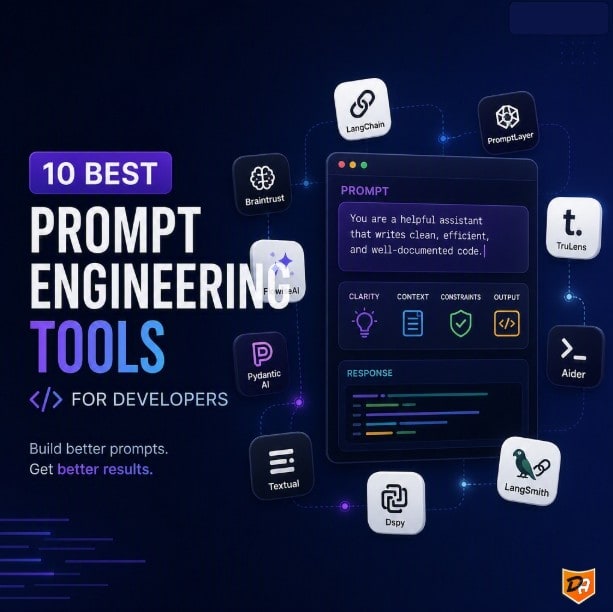
Level Up Your AI Game: The 10 Best Prompt Engineering Tools for Developers
Prompt engineering has rapidly evolved from a niche skill into a critical discipline for anyone building with large language models (LLMs). As AI applications become more sophisticated, developers need robust tools to craft, test, refine, and manage the instructions that guide AI behavior. These tools go beyond simple text editors, offering systematic workflows for version control, evaluation, collaboration, and deployment.
Here are 10 top-tier prompt engineering tools that empower developers to unlock the full potential of AI and deliver reliable, high-quality applications:
1. Braintrust: The All-in-One Prompt Powerhouse
Braintrust stands out as a comprehensive platform for teams building production AI applications. It seamlessly integrates prompt development with systematic evaluation, running automated tests on every change and blocking deployments that don't meet quality standards. Its AI co-pilot, Loop, automates the optimization cycle by generating datasets, creating scorers, and suggesting improvements based on test results. This evaluation-first approach ensures that every prompt update is validated before it reaches users, making it ideal for teams prioritizing measurable quality.
2. Promptfoo: CLI-Driven Testing for Developers
For developers who prefer a command-line interface, Promptfoo is an open-source tool designed for evaluating and testing LLM prompts and applications. It allows you to define prompts and test cases in configuration files (like YAML) within your code repository, enabling batch evaluations across different models and prompt variations. Promptfoo also includes built-in security scanning to detect issues such as prompt injection and PII exposure, making it a strong choice for systematic, test-driven development.
3. PromptLayer: Simplified Version Control and Tracking
PromptLayer offers a user-friendly platform for teams to track, version, test, and deploy prompts and agents through a visual interface. It acts as a "middleware" for your LLM API calls, logging every request and response, allowing you to easily compare prompt versions, analyze performance, and collaborate with your team. Its focus on version control and observability makes it excellent for iterative prompt refinement and debugging.
4. Vellum: Enterprise-Grade Prompt Management
Vellum is built for enterprise teams, offering a robust platform for prompt management, testing, and deployment. It provides a collaborative environment to create, version, and A/B test prompts, ensuring that the best-performing prompts are always in use. Vellum also includes features for data management and fine-tuning, making it a powerful tool for organizations looking to build and scale complex AI applications with strong governance and performance monitoring.
5. LangChain: Orchestration for Complex AI Workflows
While not strictly a prompt engineering tool in the sense of a dedicated UI, LangChain is an indispensable framework for developers building sophisticated LLM applications. It provides abstractions for chaining together LLMs with other components (like data sources, agents, and tools), allowing for complex prompt sequences and conditional logic. LangChain's focus on modularity and extensibility makes it a go-to for building dynamic, multi-step AI workflows where prompt engineering is deeply embedded in the application logic.
6. LlamaIndex: Data Augmentation for LLMs
Similar to LangChain, LlamaIndex (formerly GPT Index) is a data framework that helps you ingest, structure, and access private or domain-specific data for LLMs. By providing LLMs with relevant context from your own data, LlamaIndex significantly enhances the quality and accuracy of responses, effectively making your prompts more powerful. It's crucial for RAG (Retrieval Augmented Generation) applications where the prompt needs to leverage external knowledge bases.
7. Humanloop: Iterative Prompt Improvement
Humanloop focuses on the iterative process of improving prompts and models. It allows developers to collect feedback on LLM outputs, analyze performance, and then use that feedback to refine prompts or fine-tune models. With features like A/B testing, prompt versioning, and a user-friendly interface for reviewing and annotating responses, Humanloop helps teams continuously optimize their AI's performance based on real-world usage.
8. Weights & Biases Prompts: Experiment Tracking and Visualization
Weights & Biases (W&B) is a popular MLOps platform, and its "Prompts" feature extends its capabilities to prompt engineering. It allows developers to track, visualize, and compare different prompt versions and their outputs alongside other model experiments. This integration within a broader MLOps ecosystem makes it ideal for teams who want to maintain a holistic view of their AI development, from data preparation to prompt optimization and model deployment.
9. Helicone: Observability and Cost Management
Helicone provides a layer of observability and control over your LLM API calls. It logs every request and response, offering insights into latency, token usage, and cost. While it doesn't directly help you write prompts, its detailed analytics are invaluable for understanding how your prompts are performing in production, identifying bottlenecks, and optimizing for efficiency and cost-effectiveness. This data-driven approach indirectly leads to better prompt engineering decisions.
10. Open-Source Notebooks (Jupyter, Google Colab): Flexible Experimentation
Sometimes, the best tool is the most flexible one. Jupyter Notebooks and Google Colab remain indispensable for rapid prototyping and experimentation in prompt engineering. They allow developers to write code, interact with LLMs, and iterate on prompts in a highly interactive environment. While they lack the structured features of dedicated prompt engineering platforms, their versatility, extensive library support, and ease of sharing make them perfect for initial exploration, proof-of-concept development, and custom evaluation scripts.
Comparison of Core Developer Workflows
| Tool Name | Core Use Case | Primary Strength | Setup Complexity |
|---|---|---|---|
| LangSmith | Enterprise Dev | Multi-step tracing | High |
| Promptfoo | CI/CD Testing | Automated red-teaming | Medium |
| Langfuse | Analytics & Dev | Open-source flexibility | Medium |
| Helicone | Observability | Cost tracking | Low |
| DSPy | Optimization | Code-driven tuning | High |
How to Choose Your Tooling Stack
- For CI/CD and Automation: Combine Promptfoo with Langfuse. This pairing allows you to run deterministic unit tests on pull requests before tracking active application telemetry in production. “Software Development: Choose LangSmith if using LangChain, or Langfuse for flexibility. Add Promptfoo for testing.”
- For Data-Driven Optimization: Adopt DSPy. If your applications depend on shifting model contexts, letting a compilation framework algorithmically rewrite prompt text will consistently beat manual text formatting.
- For Infrastructure Control: Deploy Helicone alongside OpenAI Playground. This keeps upfront exploration entirely friction-free while maintaining a strict, transparent handle on early API request volumes and costs
What Are Prompt Engineering Tools and Why Do You Need Them?
Prompt engineering tools are applications and platforms designed to help users create, refine, test, and manage the inputs (prompts) given to AI models, especially large language models (LLMs). They act as a bridge between human intent and machine intelligence, allowing for more effective communication with AI systems.
Why Do Developers Need Them?
You need prompt engineering tools because they significantly enhance the quality, relevance, and accuracy of AI-generated outputs. Here's why they're crucial:
- Improved Accuracy and Quality Well-crafted prompts reduce misunderstandings and guide AI toward outputs that align closely with user intent, minimizing vague, off-topic, or incorrect responses.
- Greater Control These tools give developers and users more control over how AI interacts and responds, allowing them to establish context and refine the output.
- Efficiency and Productivity Clear instructions reduce the need for repeated edits or regenerations, saving time and effort. This means getting better results faster, often on the first attempt.
- Enhanced User Experience By making it easier to get relevant results, prompt engineering tools improve the overall user experience with AI applications.
- Versatility Across Domains Prompt engineering enables AI to be applied to a wide variety of uses, from content creation and software development to customer support and research.
- Bias Mitigation Prompt engineering can help reduce biases present in AI models' training data by encouraging balanced outputs through techniques like including diverse examples and explicit instructions to avoid biased responses.
- Optimized Resource Use By bypassing generic prompts and getting more accurate responses, prompt engineering helps optimize AI resource use.
Essentially, prompt engineering tools help you overcome the "garbage in, garbage out" principle of AI, ensuring that your inputs lead to the best possible results. They allow for iterative refinement, A/B testing, and analysis of prompt history to continuously improve AI performance.
Why Every AI Developer Needs Dedicated Prompting Tools
Every AI developer needs dedicated prompting tools because LLM responses are probabilistic, meaning a single, un-tracked prompt update can silently break an entire application in production. Traditional software relies on deterministic code that yields predictable outputs, but prompt text behaves like a fuzzy configuration file that requires specialized testing, versioning, and monitoring infrastructure.
- Prompts are separate from logic: Hardcoding prompt strings inside application code forces a full application redeployment just to fix a typo or modify a system instruction.
- Git diffs lack semantic context: Git can show you what text changed in a prompt, but it cannot tell you how that text change impacts the semantic meaning, tone, or safety of the LLM's output.
- No native playground testing: Code editors do not allow side-by-side comparisons of how different LLM models (e.g., GPT-4 vs. Claude 3.5 Sonnet) react to the exact same prompt string.
- The "Whack-a-Mole" problem: Tweaking a system prompt to fix a bug for User A frequently breaks the output format for User B.
- Automated regression testing: Dedicated tools run your updated prompt against hundreds of historical user test cases simultaneously before it goes live.
- Deterministic validation: Prompting tools programmatically assert that the LLM output matches strict JSON schemas, falls within target character lengths, or passes safety checks.
3. Managing the Complexity of RAG and Agents
- Context window tracking: Tools visualize exactly what database chunks or search results were injected into the prompt context at the moment of execution.
- Nested execution tracing: When an autonomous agent fails, dedicated tools map out the entire tree of API calls, showing you precisely which sub-prompt or tool call triggered the failure.
- Token optimization: Prompting platforms pinpoint bloated system instructions, helping you trim tokens to dramatically reduce latency and API billing costs.
4. Unifying Developers and Non-Technical Teams
- Prompt-as-a-Service: Dedicated platforms provide non-technical user interfaces where product stakeholders can tweak instructions directly.
- Separation of concerns: Non-engineers can safely edit, test, and release prompt variations in an isolated playground environment without touching a single line of backend application code.
How to Choose the Right Tooling Stack for Your Workflow
Choosing the right prompt engineering tooling stack for your workflow depends on several factors, aligning with the benefits and types of tools discussed.
[ Management ] ──> [ Testing (CI/CD) ] ──> [ Production (Observability) ]
  (Where prompts     (How you catch           (How you track cost,
   are stored)        regressions)            latency, and errors)
Here's how to approach it:
Assess Your Needs and Goals:
- Output Optimization & Efficiency: If your primary goal is to consistently get accurate, relevant, and coherent responses while reducing trial and error, look for tools that facilitate rapid iteration and testing of prompts.
- Developer Control: If you need to establish context, define intent, and refine output formats to prevent misuse or guide user interaction, choose tools that offer granular control over prompt construction and AI behavior.
- User Experience: For improving how users interact with AI and getting relevant results faster, consider tools that simplify prompt creation and management, potentially offering templates or guided interfaces.
- Flexibility & Scalability: If you plan to reuse prompts across different scenarios or scale AI tools across business units, a stack that supports robust organization, versioning, and deployment of prompts will be crucial.
- Accuracy & Bias Mitigation: To ensure AI models accurately understand human language and mitigate biases, tools that allow for thorough testing and refinement of prompts to achieve precise and consistent outputs are essential.
- Cost Savings: If reducing manual review and post-generation editing is a priority, tools that streamline the prompt engineering process and improve initial output quality will be beneficial.
Consider Tool Types:
- Open-Source Libraries (e.g., Hugging Face Transformers, Promptfoo): These offer high flexibility and customization, often preferred by developers who need deep control and want to integrate prompt engineering directly into their existing codebases. They are excellent for bridging the gap between end-users and AI by allowing the creation of custom scripts and templates.
- Closed-Source Platforms (e.g., OpenAI Playground, PromptHub): These typically provide more user-friendly interfaces, often with visual tools for prompt creation, testing, and management. They can be ideal for teams looking for a more out-of-the-box solution, faster prototyping, and easier collaboration, especially for those less inclined to write extensive code.
Evaluate Integration and Ecosystem:
- Consider how well the prompt engineering tool integrates with your existing AI models, development environments, and deployment pipelines.
- Look at the community support, documentation, and available resources for each tool.
By carefully evaluating your specific workflow requirements against the capabilities and characteristics of different prompt engineering tools, you can select a stack that best helps you unlock the full potential of AI models and achieve your objectives.
Conclusion: Building a Modern Prompt Engineering Workflow
Prompt engineering has officially transitioned from manual trial-and-error in a playground to a core software development discipline. As large language models become deeply embedded in production systems, relying on unversioned text strings and ad-hoc testing is no longer sustainable.
Choosing the right tool isn’t about adopting every platform on the market—it’s about assembling a stack that fits your engineering constraints:
-
For early experimentation: Lightweight playgrounds and open-source notebooks remain unbeatable for rapid prototyping.
-
For production reliability: CLI tools like Promptfoo and observability platforms like Helicone or Langfuse give you the regression testing, cost management, and trace evaluation required to ship with confidence.
-
For complex, agentic logic: Frameworks like DSPy and orchestration layers like LangChain allow you to shift from manual prompt tweaking to programmatic optimization.
By treating your prompts with the same rigor as traditional code—complete with version control, unit tests, and continuous monitoring—you ensure your AI applications remain deterministic, safe, and cost-effective as models continue to evolve.
Frequently Asked Questions
1. What are the top 5 AI tools?
The top 5 AI tools in 2026 are ChatGPT, Claude, Perplexity, Gemini, and Cursor. These industry-leading platforms dominate the generative AI space because they have evolved beyond basic chatbots into highly specialized engines for deep research, multimodal analysis, and automated workflows.
2. Why do developers need dedicated prompt engineering tools?
LLM responses are probabilistic, so a small untracked prompt change can silently break an application. Traditional tools (Git, standard CI/CD, code editors) struggle with natural-language instructions. Dedicated tools provide version control, automated testing, observability, collaboration features, and regression detection that standard software practices lack.
3. What are the main benefits of using these tools?
- Higher accuracy and relevance of AI outputs
- Greater control over tone, format, and behavior
- Faster iteration and reduced trial-and-error
- Better handling of complex systems (RAG, agents, multi-step chains)
- Bias mitigation and safety checks
- Cost and latency optimization through token and performance insights
- Collaboration between engineers and non-technical stakeholders
4. Which tools are best for testing and CI/CD?
Promptfoo stands out for CLI-driven, config-file-based testing, batch evaluations across models, and built-in security scanning (prompt injection, PII). It pairs well with observability tools like Langfuse for a complete CI/CD + production monitoring workflow.
5. What is the difference between frameworks like LangChain/LlamaIndex and dedicated prompt platforms?
LangChain and LlamaIndex are development frameworks focused on orchestration and data integration (especially RAG). Dedicated platforms such as Braintrust, PromptLayer, Vellum, and Humanloop emphasize prompt versioning, evaluation, A/B testing, logging, and team collaboration.
6. How do I choose the right tooling stack?
Most teams only need 2–3 complementary tools. Common recommendations from the article:
- CI/CD + testing: Promptfoo + Langfuse
- Algorithmic optimization: DSPy
- Observability & cost control: Helicone + a simple playground
- Enterprise governance & collaboration: Braintrust, Vellum, or PromptLayer
Assess your needs around testing rigor, team size, production monitoring, and whether you need visual interfaces or code-first workflows.
7. Can non-engineers use these tools?
Yes. Many platforms (PromptLayer, Vellum, Humanloop, Braintrust) offer visual interfaces so product managers, writers, and other stakeholders can edit, test, and release prompt variations without touching application code.
8. Are there free or open-source options?
Yes. Promptfoo is open-source, Jupyter/Google Colab notebooks are free and highly flexible for experimentation, and Langfuse offers strong open-source flexibility. Many commercial tools also have free tiers for individuals or small teams.