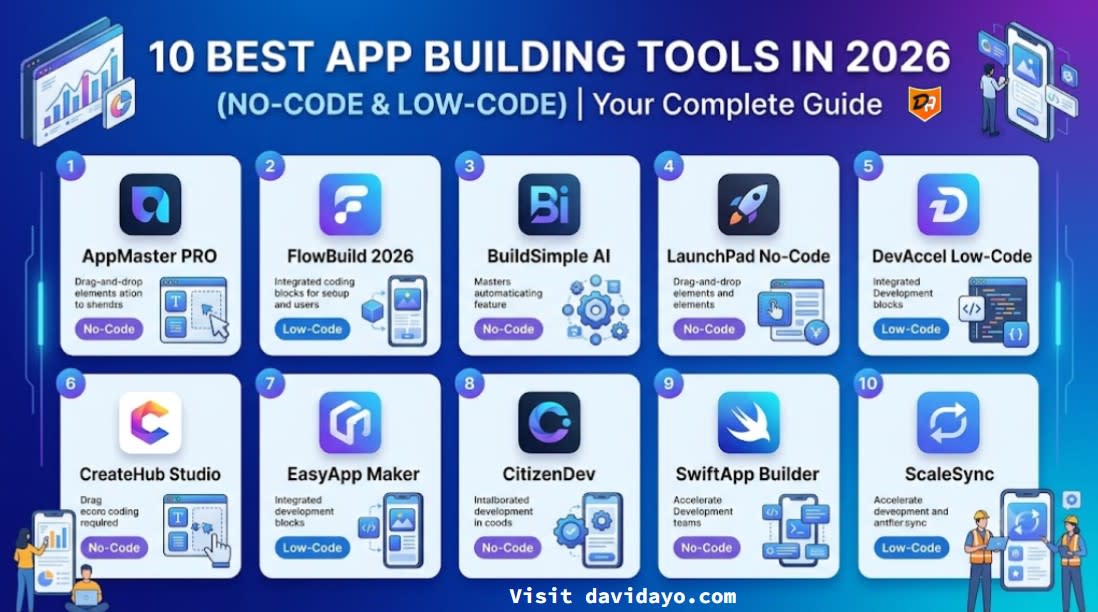
The landscape of software development in 2026 is undergoing a massive shift, driven by Gartner's prediction that 75% of new business applications are now built using low-code or no-code platforms. The biggest trend this year is the rise of AI native "vibe coding", which blends natural language prompts with visual drag-and-drop mechanics.
| Platform | Primary Focus | AI Capability | Code Export |
|---|---|---|---|
| Bubble | Full-Stack Web Apps | High (Vibe Coding) | No |
| FlutterFlow | Native Mobile Apps | High (Prompt-to-Page) | Yes (Flutter) |
| Glide | Data & Spreadsheet Apps | Moderate (AI Actions) | No |
| Lovable | Pure AI / Prototyping | Extreme (Full Generative) | Yes (React/Vite) |
| WeWeb | Scalable Frontends | High (Visual + Copilot) | Yes (Vue.js) |
| Softr | Portals & Dashboards | Moderate (AI Co-builder) | No |
| Retool | Internal Tools & Admins | High (AI Queries) | Yes (Code blocks) |
| Microsoft Power Apps | Enterprise / Office 365 | Extreme (Copilot-Driven) | No |
| OutSystems | Enterprise IT / Legacy | Extreme (Agentic GenAI) | No |
| Thunkable | Simple/Edu Mobile Apps | High (Thunkable AI) | No |
- Bubble: Best for comprehensive web applications. It is the undisputed powerhouse for SaaS platforms, marketplaces, and MVPs requiring intricate backend logic. Its new vibe coding assistant lets you generate custom workflows using conversational text.
- FlutterFlow: Best for high-performance mobile apps. Built directly on Google’s Flutter framework, it allows users to visually assemble pixel-perfect apps for iOS and Android while offering clean code export.
- Glide: Best for turning spreadsheet data into interfaces. If your data lives in Google Sheets, Excel, or Airtable, Glide builds operational tools and client portals in minutes via an automated AI generator.
- Lovable: Best for pure natural language code generation. As a leader in the "vibe coding" wave, you describe an app in plain English, and the platform writes, deploys, and updates a functional web prototype with incredible speed.
- WeWeb: Best for modular, custom web frontends. It gives you the pixel-level visual freedom of a designer but hooks natively into complex backends like Xano or Supabase, outputting standard Vue.js code.
- Softr: Best for secure client portals. Rather than generating code from scratch, Softr’s AI co-builder snaps pre-fabricated, production-ready components together over an Airtable database to minimize bugs.
- Retool: Best for developers building internal admin tools. It dramatically speeds up the process of creating dashboards, database GUIs, and operational utilities by offering drag-and-drop components paired with custom JavaScript scripting.
- Microsoft Power Apps: Best for corporate, IT-governed ecosystems. Deeply integrated into Microsoft 365, it utilizes advanced Copilot integration so enterprise users can build internal apps through simple intent prompts.
- OutSystems: Best for high-end enterprise automation. It is the elite low-code "Agentic Systems Platform" designed for large organizations that need to modernize legacy systems and orchestrate internal AI agents securely.
- Thunkable: Best for native mobile apps leveraging device features. It uses a block-based logic structure and an updated AI system to help non-technical users build cross-platform mobile apps that access GPS, cameras, and Bluetooth
Best App Building AI Tools
The Best App Building AI Tools in 2026
The single best AI app-building tool depends entirely on your technical background and your project's goals, as the market is split between prompt-to-app web platforms (best for non-technical founders) and AI-powered IDEs (best for engineers).
| Platform | Best For | Execution Environment | Code Ownership |
|---|---|---|---|
| Base44 | All-Around Production Apps | Full-Stack Ecosystem | Yes (GitHub Sync) |
| Lovable | Ultra-Fast Web MVPs & Demos | Frontend Sandboxing | Yes (React/Vite) |
| Bolt.new | Prompt-to-App Speed | Browser Sandbox | Yes (Full Source) |
| Emergent | Cross-Platform Multi-Agent Builds | Web & Native iOS/Android | Yes (Full Ownership) |
| Replit Agent | Full-Stack Autonomous Builds | Native Replit Cloud | Yes (Deployable Code) |
| Zite | Enterprise Business Software | Secure Database & Auth | No (Hosted Platform) |
| Cursor | Code-First Teams & Existing Repos | Local Desktop IDE | Yes (100% Local) |
- Base44: The strongest all-around AI app builder for production-ready applications. It handles full-stack architectures with ease, generating highly polished user designs, functioning database schemas, and seamless third-party API integrations without stuttering on complex logic.
- Lovable: Ideal for rapid web prototyping and turning plain English concepts into highly visual, responsive frontends. It maintains strict, clean React code under the hood and allows seamless deployment or immediate export to GitHub.
- Bolt.new: The premier destination for fast "prompt-to-app" development. Operating in a complete browser-based development environment, Bolt gives you an instantaneous live preview of your application side-by-side with an active chat terminal for iterative tweaks. [1]
- Emergent: A powerhouse tool powered by highly autonomous, multi-agent AI systems. It bridges the gap between web applications and native iOS or Android deployment, drafting the entire architecture behind the scenes with minimal human intervention required. [1]
- Replit Agent: Best for building full-stack programs autonomously in the cloud. You give it a single prompt, and the agent completely provisions a database, writes back-end logic, manages network dependencies, tests its own bugs, and deploys a live URL.
- Zite: Built directly for enterprise operations and internal business software. Instead of just spitting out code snippets, Zite packs production-ready databases, role-based user authentication, and granular permission states right into its visual AI ecosystem.
- Cursor: The gold standard for developers who want a code-first workflow. It is a modified fork of VS Code that can ingest your entire local repository, scan architectural context, index massive documentation libraries, and write highly localized edits inline.
Best No-Code App Builders for Beginners
| Platform | Best For | Data Source | Main Strength |
|---|---|---|---|
| Glide | Internal Business & Operations Tools | Google Sheets / Excel | Automated UI generation |
| Softr | Portals, Directories, & Dashboards | Airtable / Google Sheets | Pre-built block architecture |
| FlutterFlow | Simple Native Mobile Apps | Supabase / Firebase / Sheets | Drag-and-drop mobile design |
- Glide: Best for data-driven tools. If you can format a basic spreadsheet in Google Sheets or Microsoft Excel, you already know how to use Glide. Its AI generation feature builds a functional user interface instantly based on your data columns, making it incredibly rewarding for true beginners who want to build internal company tools, inventory trackers, or basic client trackers.
- Softr: Best for client portals and memberships. Softr eliminates the overwhelming blank canvas problem by using a system of pre-fabricated visual building blocks (like lists, charts, forms, and user profiles). It maps securely on top of Airtable or Google Sheets, allowing beginners to launch web apps like job boards, resource hubs, and community portals with built-in user login states in less than an hour.
- FlutterFlow: Best for mobile app dreams. While FlutterFlow can scale into a highly advanced low-code tool, its intuitive visual blueprint canvas and robust conversational AI generator make it the most welcoming choice for beginners determined to build a native smartphone app for iOS and Android. You can use simple prompts to generate pages and rely on automated visual guides to handle mobile layout constraints.
Low-Code App Builders:
- Backendless: A visual no-code and low-code platform that supports building full-stack web and mobile applications, offering advanced control over data and infrastructure.
- Wix (Wix Studio): While known for websites, Wix Studio is a low-code platform for businesses and creators to build and launch web applications with a visual editor and branded app builder capabilities.
Top Free App Development Software & Platforms
| Platform | Best Free Feature | Best Used For | Primary Free Restriction |
|---|---|---|---|
| FlutterFlow | Visual Canvas & UI Design | Native iOS & Android Mobile Apps | No source code export on free tier |
| Glide | 100% Free Core Functionality | Spreadsheet-to-Web Apps | Limited to 100 data rows / 10 users |
| Bubble | Advanced Logic & Workflow Engine | Complex Full-Stack Web SaaS | Hosted on a .bubbleapps.io subdomain |
| Android Studio | 100% Free & Open Source | Pro Native Android Coding | Requires high-spec PC & Kotlin/Java knowledge |
| VS Code + Expo | Unlimited Code Development | Cross-Platform React Native | Steep learning curve for complete beginners |
- FlutterFlow (Visual Mobile): Exceptional for designing mobile layouts. The free tier gives you access to a rich drag-and-drop builder, native Firebase database integrations, and conversational AI page generators. While you cannot export the raw code or publish directly to the Apple or Google app stores for free, you can build, test, and run your app infinitely via web previews.
- Glide (Data-Driven Web): Best for rapid prototyping over spreadsheets. Glide’s free tier lets you turn a Google Sheet or Excel workbook into a functioning mobile-responsive web utility instantly. It is ideal for testing internal operations trackers or basic directories, though the free tier restricts your database to 100 rows.
- Bubble (Full-Stack Web): The most powerful free environment for testing a SaaS startup or complex database logic. Bubble lets you build deep conditional workflows, manage user accounts, and design multi-page web setups entirely on their free tier. The catch is that your app must live on a Bubble-branded URL until you upgrade.
- Android Studio (Code-First Native Android): Completely free, open-source, and managed by Google. It provides a visual layout editor alongside deep coding environments for building elite, device-native Android applications. It requires strong programming knowledge (Kotlin or Java) and a powerful desktop computer to run the local phone emulators.
- VS Code + Expo (Code-First Cross-Platform): The ultimate developer stack for zero-cost mobile coding. Microsoft's Visual Studio Code editor is entirely free. When paired with the open-source Expo framework, you can write JavaScript or React Native code on your computer and test the app live on your personal iPhone or Android device via a free companion app.
- Build Your Logic First: Use free visual tiers like FlutterFlow or Bubble to map your user experience (UX) and database structures completely before committing to a paid plan.
- Leverage Free External Databases: Platforms like Supabase or Airtable offer generous free database tiers. You can connect these external engines to your free app builder to bypass internal row limitations.
- Launch on Subdomains: If you are launching a web utility for a small circle of friends, family, or internal team members, keep the app on the provider's free subdomain (e.g.,
yourapp.glide.page) to skip hosting fees.
Best App Building Tools: Create Apps Without Coding
Key Factors for Successful No-Code Building
- Map Your Data First: Before opening an app builder, organize your information in a simple spreadsheet. Define what your users will log in to see, and how those items relate to each other.
- Utilize Free Tiers to Learn: Do not pay for a subscription immediately. Platforms like FlutterFlow and Bubble offer fully functional free testing sandboxes where you can build, refine, and preview your app entirely before launching it on a custom domain.
- Connect Free External Databases: To avoid hitting early limits on free tiers, hook your visual builder up to powerful, free-tier external engines like Supabase or Airtable to scale your project safely.
Conclusion: Choosing Your Ideal App Building Partner
The landscape of software development has fundamentally changed. Whether you choose to leverage AI-native "vibe coding" platforms like Lovable or Base44, visual powerhouses like Bubble and FlutterFlow, or data-first tools like Glide, the barrier to entry for building production-grade software has never been lower.
To choose the tool that fits your project best, keep these three golden rules in mind:
-
For rapid web MVPs & prototypes: Rely on conversational AI platforms like Lovable or Bolt.new to bring ideas to life via natural language in minutes.
-
For full-stack scalability & code ownership: Opt for systems that let you export clean framework code, such as FlutterFlow (for mobile) or WeWeb (for web).
-
For internal operations & database tracking: Trust structured, block-based builders like Glide or Softr to cleanly map your existing spreadsheet data without the overhead of complex engineering logic.
Don't let a lack of coding experience hold your next big idea back. Dive into the free tiers of these platforms, start experimenting with simple workflows, and see how fast you can turn your vision into a living application today!